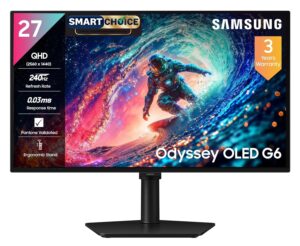
Once the core of your gaming setup is sorted, a solid mouse, keyboard, headset and a monitor worth staring at for hours, it is the smaller stuff that decides whether the desk actually feels finished. I went looking for gaming setup accessories that go beyond the obvious, things that fix a real annoyance or add something you did not know you needed rather than just looking flashy. A few of these will probably surprise you, like a bracket that stops your graphics card from sagging inside your PC build, or a mousepad that charges your phone while you play. Here are the 10 I would actually point people toward, all checked for live price and stock on Amazon.in.
Top Picks at a Glance
| Rank | Product | Best For | Cost | Rating | |
|---|---|---|---|---|---|
| 1 | Zebronics PS5S Quad Gaming Controller Stand | Best for controller clutter | ₹1,099 | ★★★★★ ★★★★★ | Buy Now → |
| 2 | INOVERA RGB Gaming Mouse Pad with Wireless Charging | Best hybrid mousepad | ₹1,399 | ★★★★★ ★★★★★ | Buy Now → |
| 3 | Quntis Monitor Light Bar Focus Dual-Control | Best for eye strain | ₹4,499 | ★★★★★ ★★★★★ | Buy Now → |

Zebronics PS5S Quad Gaming Controller Stand: Best for Controller Clutter
If your desk has controllers piled up next to your keyboard, this fixes it in one shot. The Zebronics PS5S holds up to four controllers at once, works across PS5, PS4, Xbox and Switch, and throws in a headphone hanger and a two port USB hub so you are not hunting for a free port to charge anything. The 12 zone RGB lighting is a nice touch but the real value is just having a dedicated spot for every controller instead of them sliding off the desk. It does not fast charge the way a dedicated dock handles phones the way the mousepad charger at number two does, but for keeping a multi controller setup tidy it is hard to beat for the price. Amazon shows it with a strong 4.7 rating, though the review count is still small, so treat it as a promising newcomer rather than a long proven classic.
- Holds 4 controllers
- Dual USB hub + headphone hanger
- Cleans up a cluttered desk in one purchase
- Works across PS5, PS4, Xbox and Switch
- Rating count is still small so long term durability is unproven
- RGB lighting needs USB power, one more cable to route
INOVERA RGB Mouse Pad with Wireless Charger: Best Hybrid Mousepad
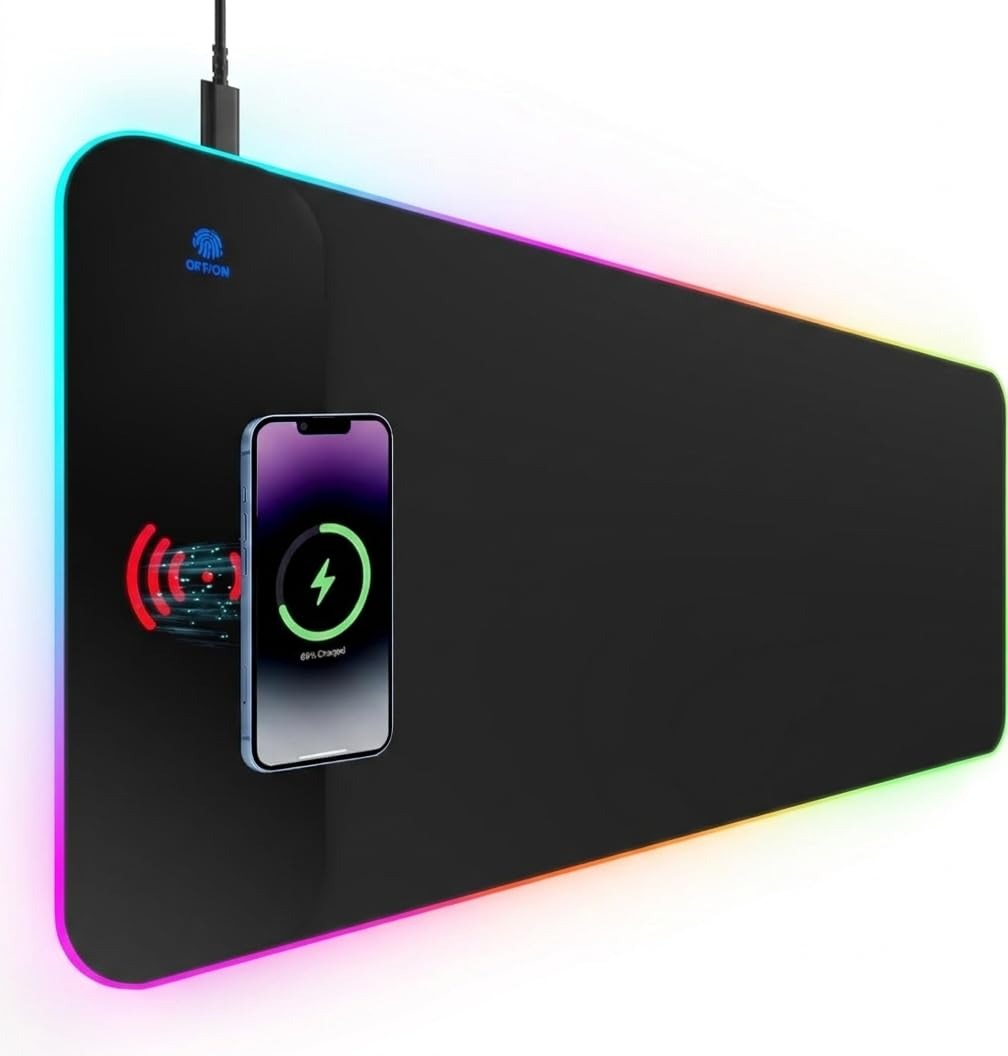
This is the kind of accessory that makes people ask where you got it. It looks like a normal extended RGB mousepad with a soft surface and glowing edge lighting, but there is a 15W Qi wireless charging spot built into the corner, so your phone tops up while you play instead of tying up a cable. It is a genuinely different idea from the usual plain deskmat, and at under ₹1,500 it undercuts most single purpose RGB mousepads while doing double duty. Pair it with the cable tray at number five and you can hide the short charging cable run to your PC entirely. The catch is it is a newer listing with only a handful of reviews so far, so the numbers are promising rather than proven, and Qi charging only works with phones that support wireless charging in the first place.
- 15W Qi wireless charging
- RGB edge lighting
- Two accessories in one, mousepad and phone charger
- Cheaper than most standalone RGB extended mousepads
- Very few reviews so far, so treat the rating cautiously
- Only charges Qi compatible phones
Quntis Monitor Light Bar: Best for Eye Strain
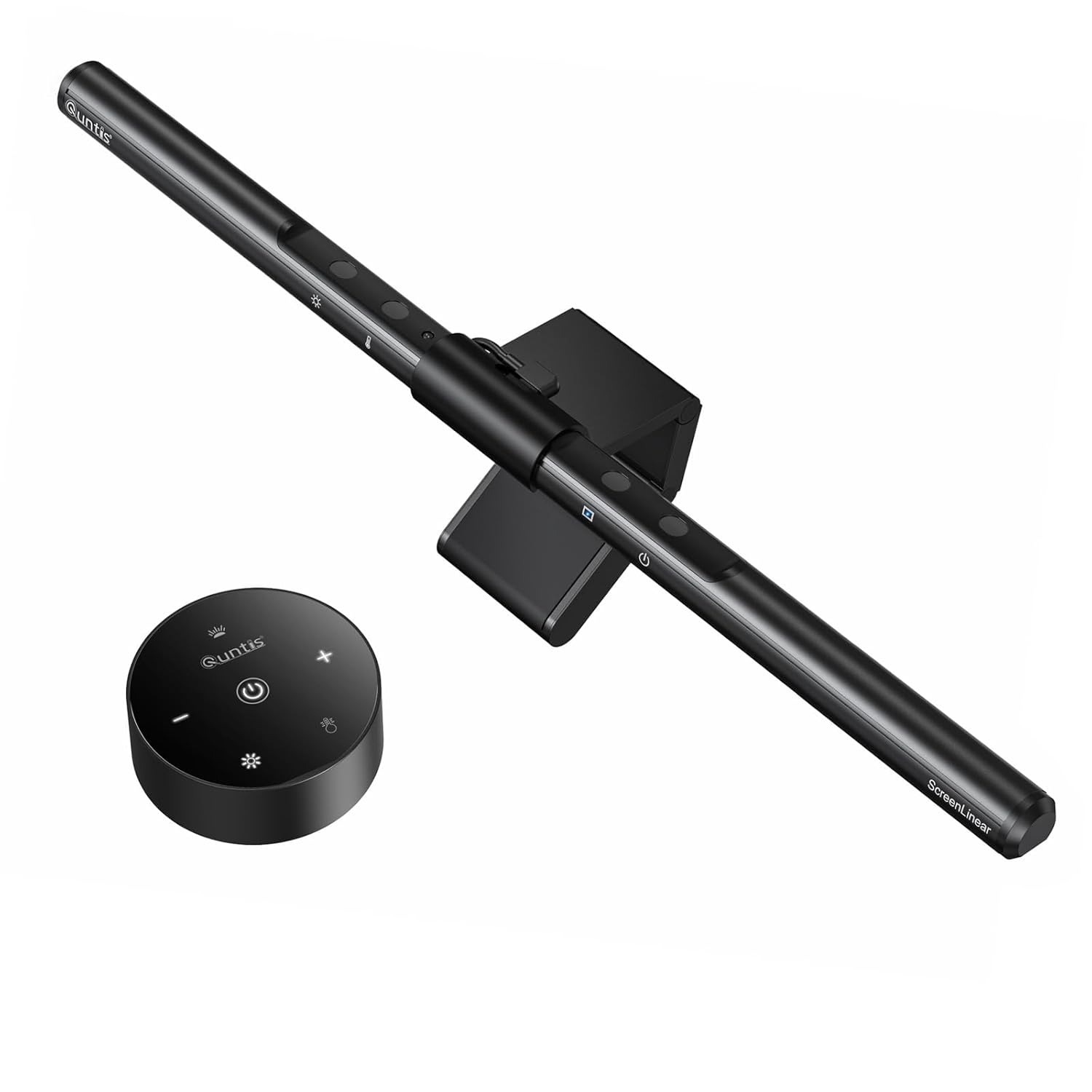
Long gaming sessions in a dark room are rough on your eyes, and this is the accessory that actually fixes that instead of just looking good. The Quntis clips onto the top of your monitor and throws light down onto the desk instead of into your eyes, with no glare on the screen itself. It has both a warm and cool light zone you can blend with the included remote, so you can match your mood or the time of day. Compared to the RGB heavy picks lower on this list, this one is about function first, though it still looks clean sitting on a monitor. Sixty nine reviews average out to 4.3 stars, and most of the complaints are about the remote feeling a bit flimsy rather than the light quality itself.
- Glare free downward lighting
- Warm/cool dual zone with remote
- Genuinely reduces eye strain in dark rooms
- No screen glare since light points down, not at you
- Remote build quality gets mixed feedback
- Costs more than a basic desk lamp for the same core job
Aivalas GPU Support Bracket: Best Budget Fix
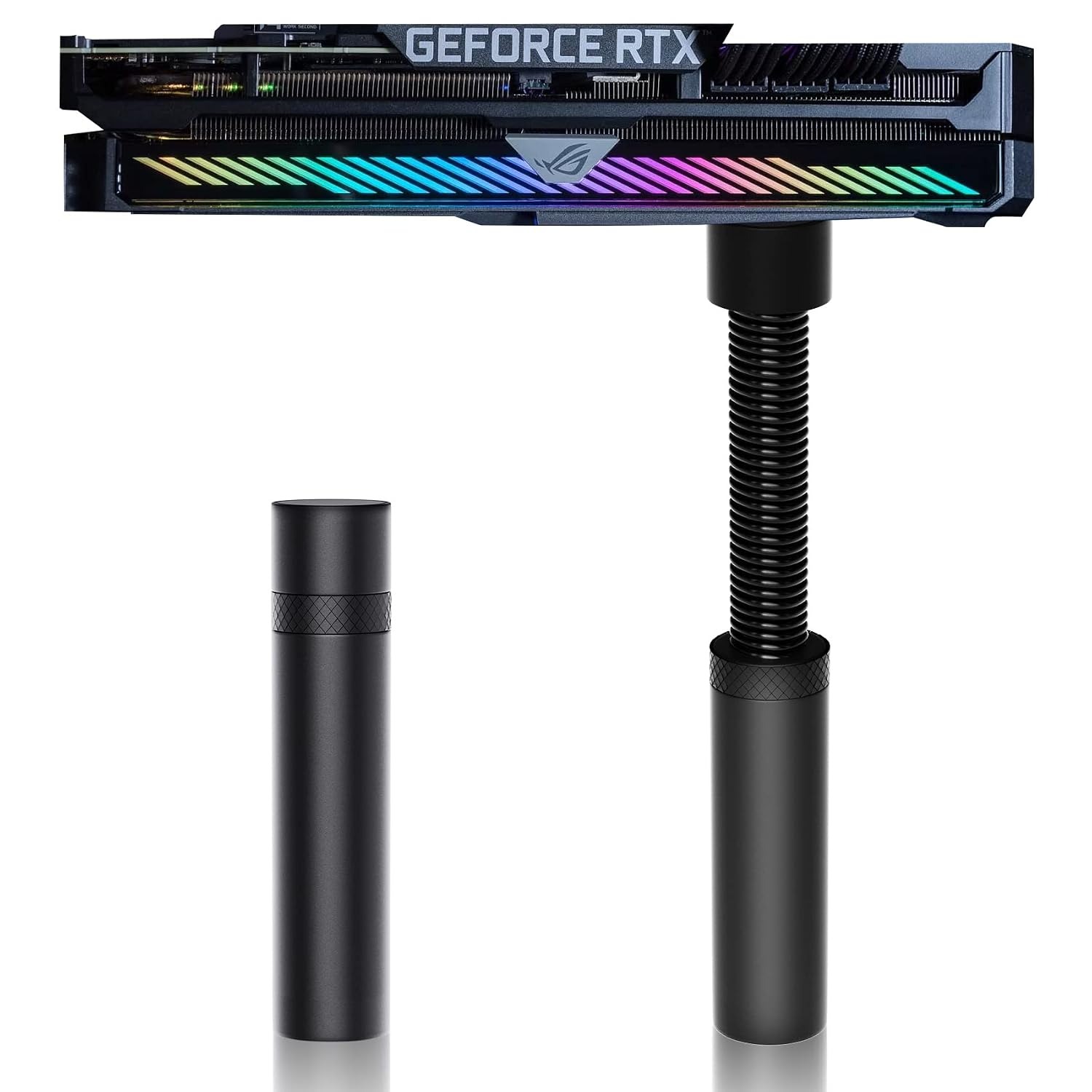
Most people never think about this until they open their PC case and see the graphics card drooping under its own weight. Heavy modern GPUs can sag enough to stress the PCIe slot over time, and this bracket solves it for less than the price of a coffee run. It is height adjustable from 74 to 120mm, sits on a magnetic and rubber padded base so it will not scratch anything, and takes about two minutes to install. Unlike the pricier accessories on this list, this is pure function with zero downside, and the 1,009 ratings at 4.7 stars back that up. If you are already building a PC, this is the kind of ₹350 add on that is easy to forget and cheap enough that there is no reason to skip it.
- 74 to 120mm adjustable height
- Magnetic + rubber non slip base
- Extremely cheap insurance against GPU sag
- Over a thousand ratings back up the 4.7 star average
- Purely cosmetic and structural, does not improve performance
- Needs a flat surface nearby to sit on
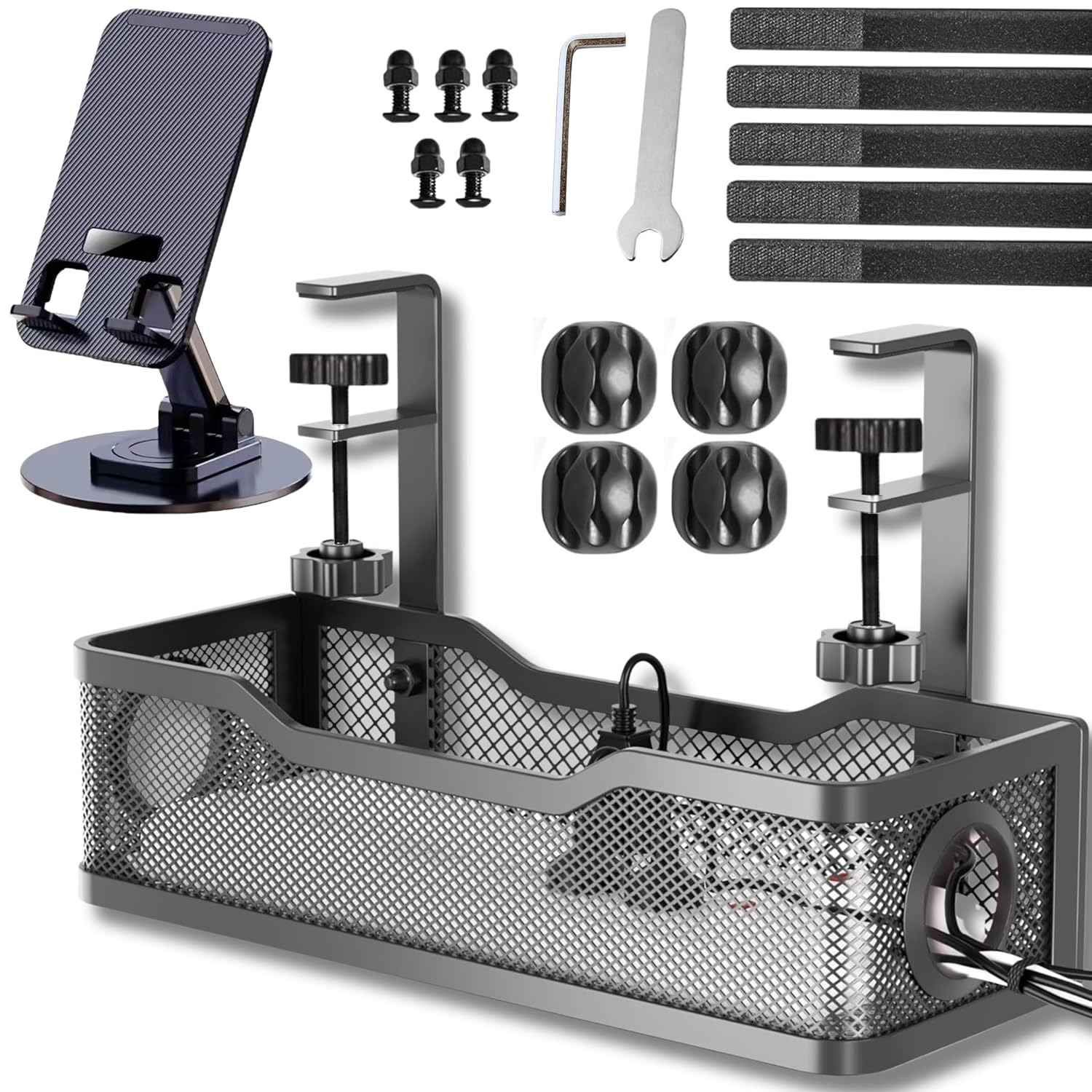
Joomouney Under Desk Cable Tray: Best for Cable Management
If your power strip and a dozen cables are just sitting in a pile under your desk, this is the fix. It is a metal tray that screws or clamps under the desk and holds your extension board and cable clutter out of sight, so you stop kicking cords by accident. Installation takes a few screws and about ten minutes, and once it is up you will wonder why you waited so long. It pairs especially well with the wireless charging mousepad at number two since it gives that cable somewhere tidy to run. With 348 ratings at 4.6 stars, this is one of the more proven picks on this list, not a new or unusual product.
- Screw fixed adjustable metal tray
- Holds power strip + cable bundle
- Instantly tidies up under desk cable mess
- Well proven with hundreds of solid ratings
- Needs drilling or clamping, not fully tool free
- Only addresses cables under the desk, not on top of it
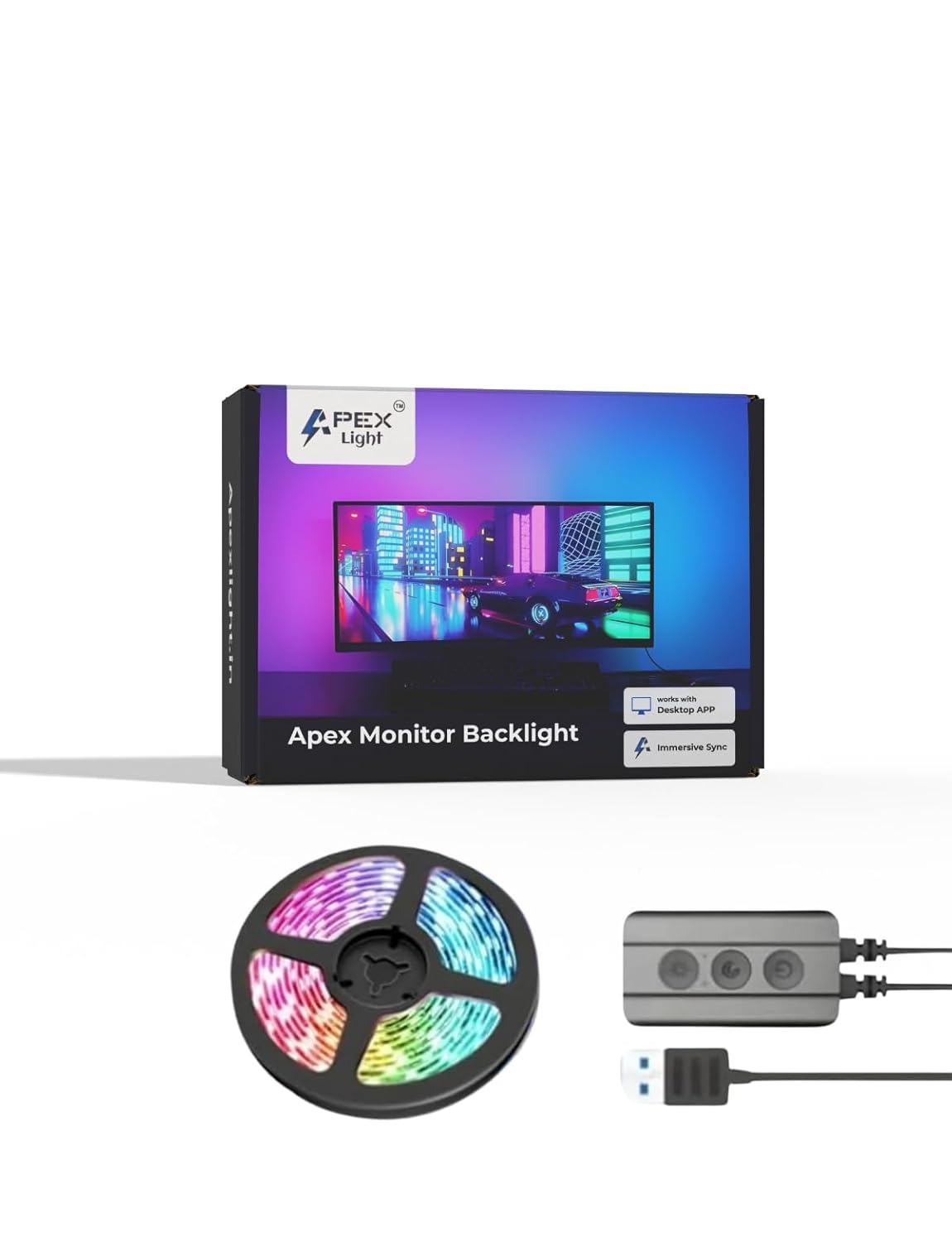
APEX LIGHT Monitor Backlight: Best Ambient Upgrade
This is a step up from a plain RGB strip because it actually reads your screen and matches the color behind your monitor in real time, so the glow shifts with whatever is on screen instead of sitting on one static color. It fits monitors up to 40 inches and is controlled through an app, which is more setup than a basic light strip but worth it once it is running behind an action game or a movie. Compared to the light bar at number three, this is about atmosphere rather than reducing eye strain, so think of them as solving different problems. Two hundred and five ratings average 4.3 stars, with most complaints about the initial app pairing rather than the light quality once it is set up. It is one of the more genuinely surprising picks on this list since most people have never seen bias lighting that syncs to content rather than just cycling colors.
- Real time screen color sync
- Fits monitors up to 40 inches
- Syncs to on screen content, not just static colors
- Noticeably improves the look of a dark room setup
- Initial app setup and pairing can be fiddly
- Adds one more app running in the background
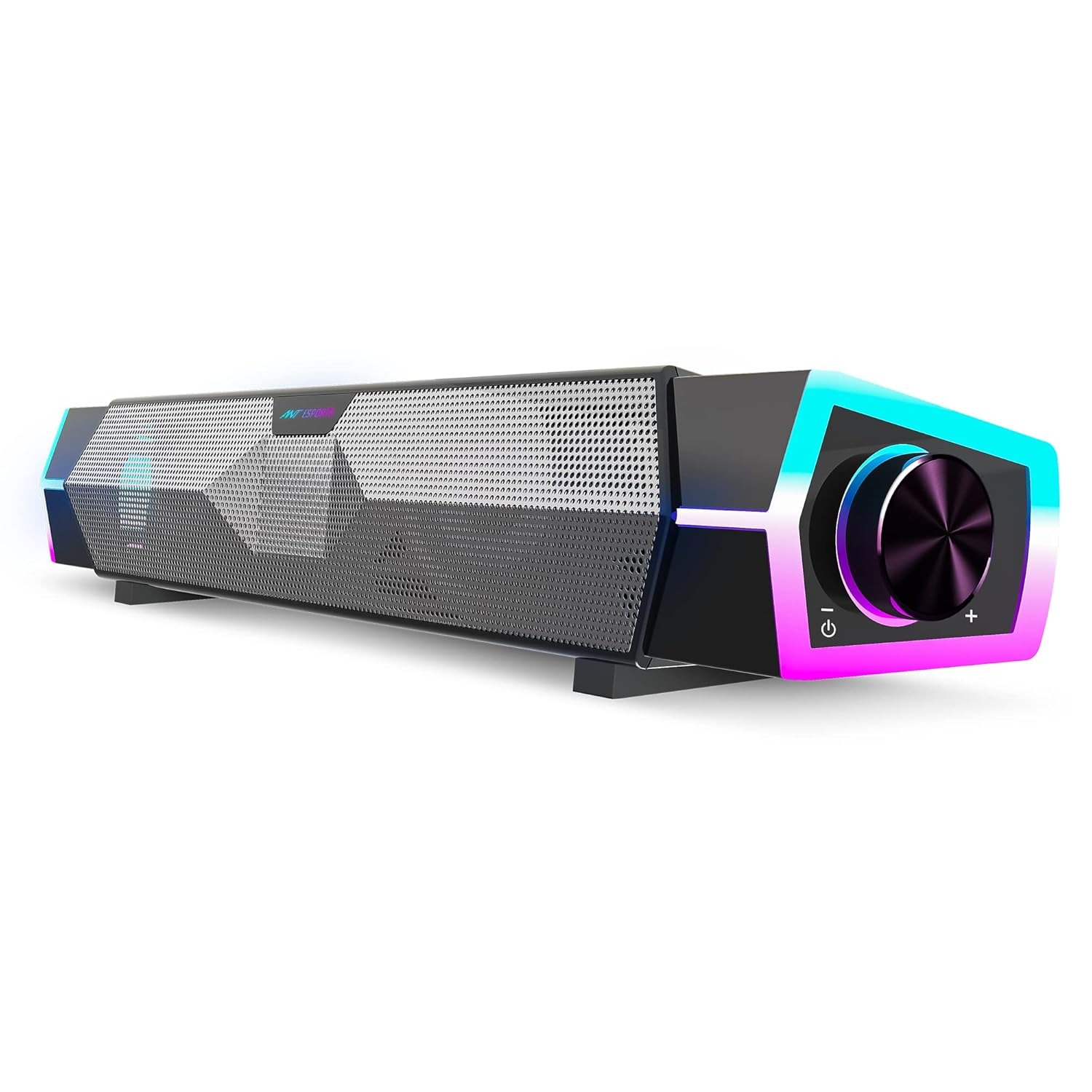
Ant Esports GS370SB Sound Bar: Best Speaker Upgrade
Most desktop speaker upgrades are just two small boxes with RGB slapped on, so a sound bar form factor actually stands out sitting under a monitor. The GS370SB is USB powered, so there is no separate power brick to find room for, and it throws noticeably fuller sound than typical laptop or monitor speakers. It will not replace a proper headset for competitive games where footsteps matter, but for casual sessions, music or watching something at your desk it is a clear step up. Two hundred and nine ratings sit at 4.2 stars, mostly positive with a few notes that the bass is modest given the compact size. At this price it is more about tidying up your desk audio than chasing audiophile sound.
- USB powered sound bar form factor
- Dynamic RGB lighting
- Cleaner single bar look than typical two speaker sets
- No separate power adapter needed
- Bass is fairly modest for the size
- Not a replacement for a proper gaming headset in competitive play
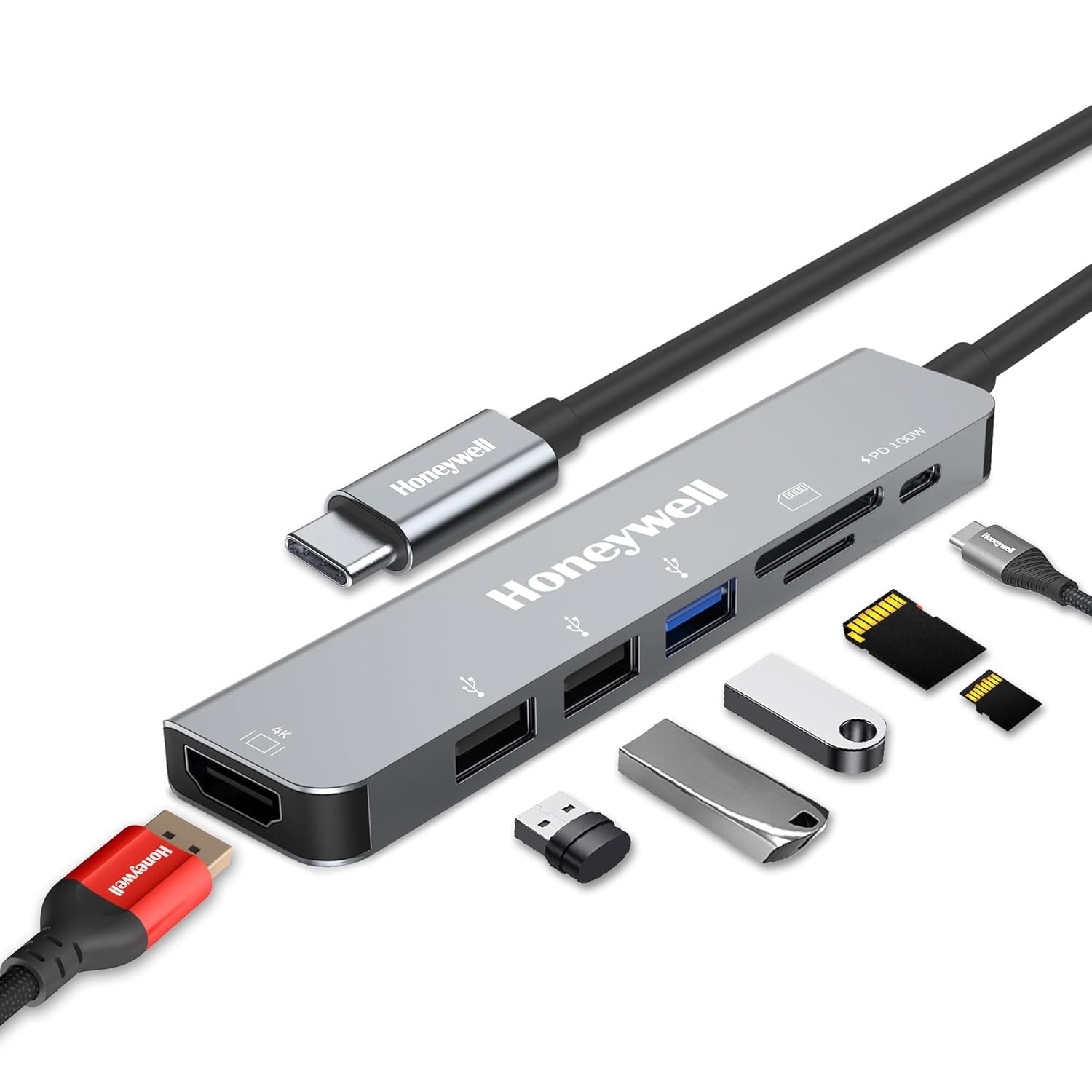
Honeywell 7-in-1 Docking Station: Best for Expanding Ports
If your laptop or PC is short on ports the moment you plug in a monitor, a mouse and a headset, this quietly solves it. The Honeywell gives you a 4K HDMI output, a USB 3.0 port, two USB 2.0 ports, an SD and microSD reader, and 100W pass through charging, all from one cable. It is the most broadly useful accessory on this list since almost any modern laptop setup benefits from more ports, not just a gaming rig. With over two thousand ratings at 4.2 stars and a three year warranty, it is also one of the most trusted picks here rather than a newer, unproven product. The main limit is that 4K output is capped at 30Hz, so it is fine for a second monitor or productivity work but not for fast paced gaming on that external display.
- 7 in 1 with 4K HDMI + 100W PD
- SD/microSD card reader built in
- Over two thousand ratings and a three year warranty
- Solves port shortage on almost any modern laptop
- 4K output is limited to 30Hz, not ideal for gaming on that screen
- Only useful if your laptop or PC actually has USB-C
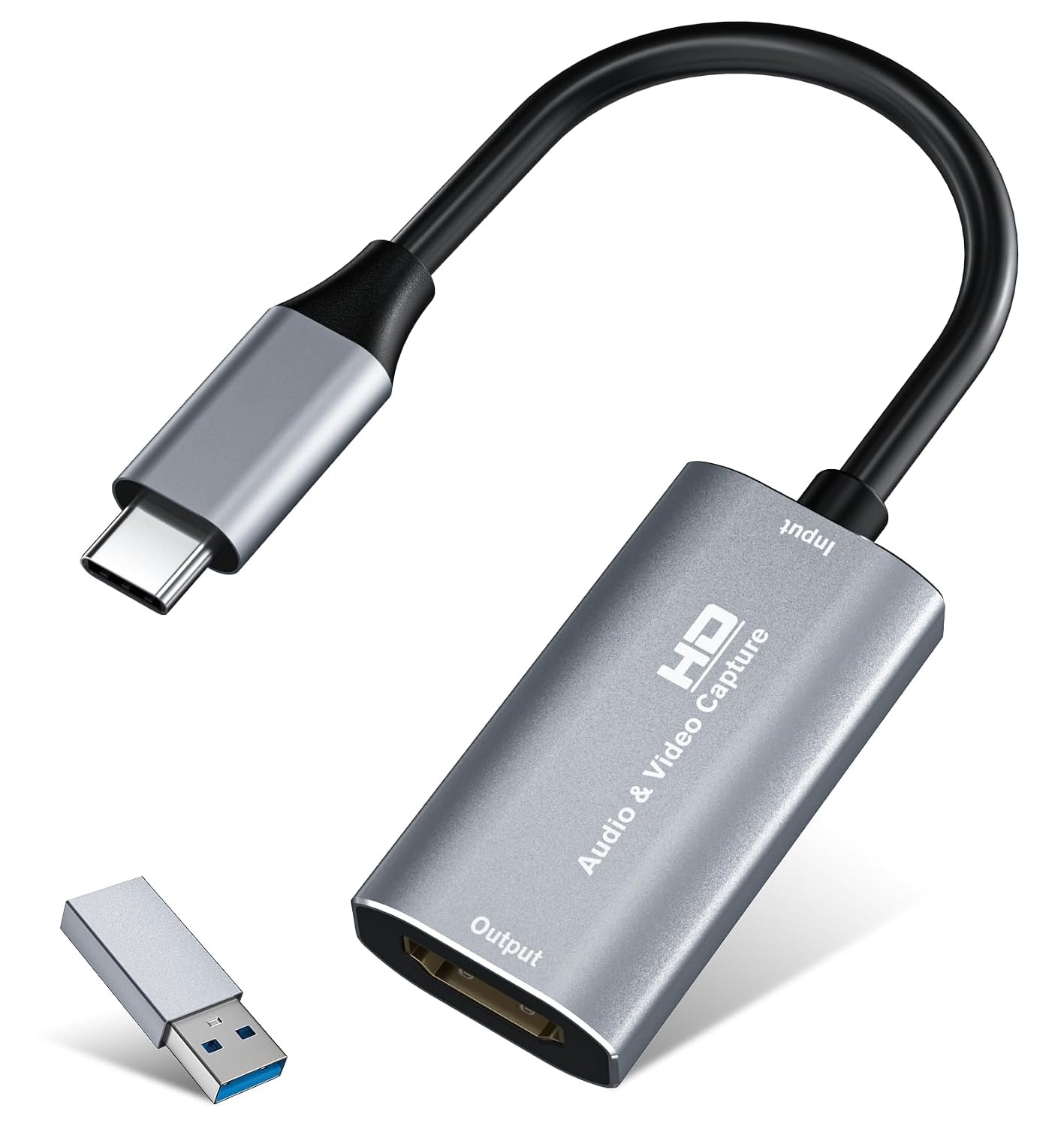
VIXLW 4K Capture Card: Best Budget Streaming Tool
This is the cheapest way to start recording or streaming gameplay from a console or a second PC without buying a dedicated streaming rig. It takes an HDMI signal in and outputs over USB 3.0 at up to 1080p60, works with a PS4, PS5, Xbox or Switch, and plugs straight into OBS like the far pricier Stream Deck at number ten does for scene control. It will not match a proper Elgato capture card for latency or 4K passthrough, but for someone testing whether they even enjoy recording or streaming, spending under ₹600 to find out makes far more sense than committing to premium gear first. Two hundred and forty one ratings average 4.4 stars, which is solid for a budget accessory in this category. Just make sure your PC's USB 3.0 port can actually handle the bandwidth, older or hub connected ports can bottleneck the frame rate.
- 4K HDMI in, USB 3.0 out at 1080p60
- Works with PS4, PS5, Xbox, Switch
- Extremely cheap way to try streaming or recording
- Broad console and OBS compatibility
- Caps out at 1080p60, no true 4K passthrough
- Needs a real USB 3.0 port to hit full frame rate
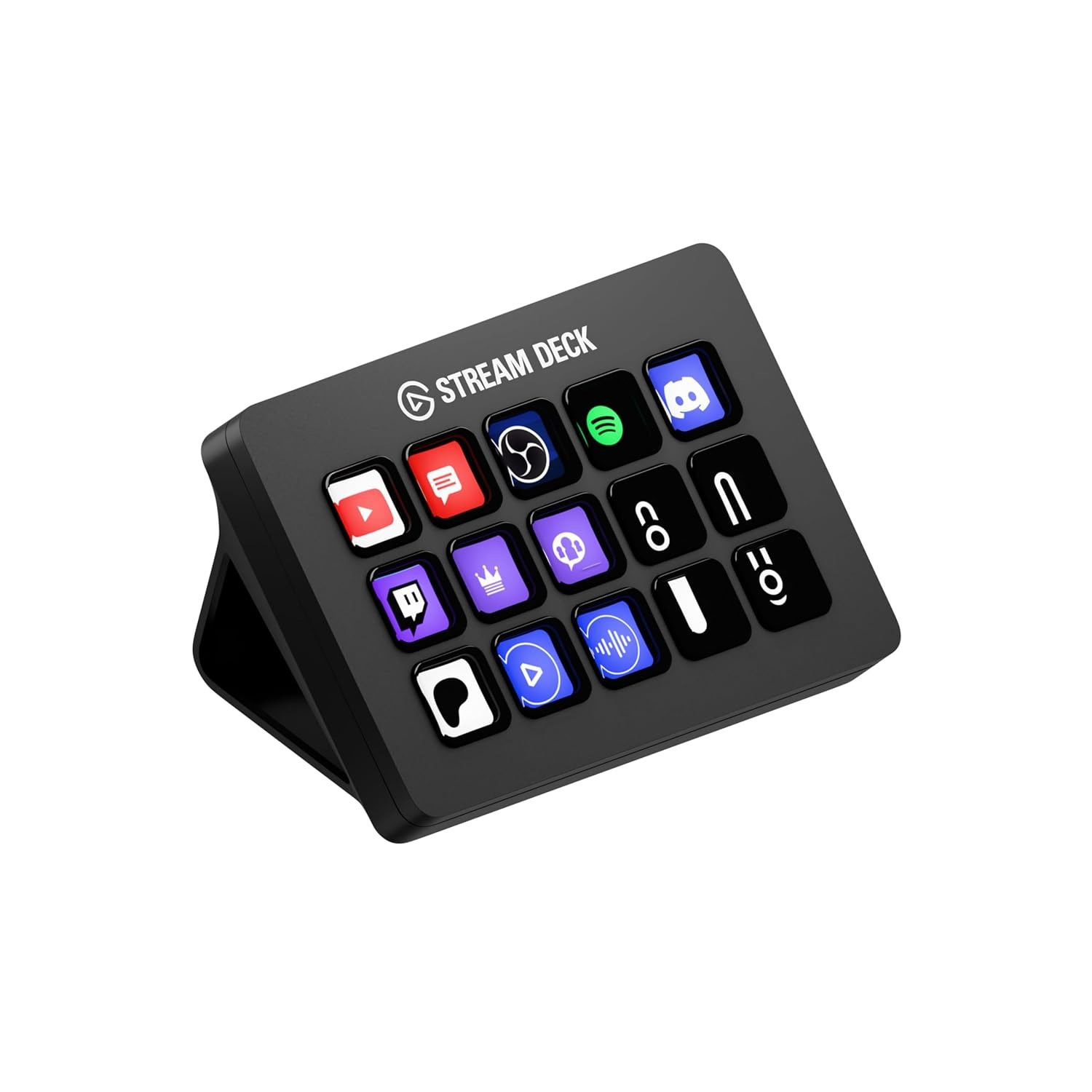
Elgato Stream Deck MK.2: Best Premium Creator Tool
This is the one accessory on this list built specifically for people who stream, record or just want faster control over their PC, and it is worth the jump in price because nothing else does the job as cleanly. Fifteen customizable LCD keys let you trigger scene changes, mute your mic, launch macros or switch apps with one press instead of digging through menus mid game. It works directly with OBS, Twitch, YouTube and hundreds of plugins built by the community, so it keeps getting more useful the longer you use it. Compared to the budget capture card at number nine, this is the premium end of a content creation setup, not a starting point, so it makes more sense once you already know streaming or recording is something you will stick with. Over ten thousand ratings at 4.7 stars make it the most reviewed and most trusted single product on this entire list.
- 15 customizable LCD keys
- OBS, Twitch, YouTube integration
- Massive plugin ecosystem keeps it useful long term
- Over ten thousand ratings at 4.7 stars, the most proven pick here
- By far the most expensive accessory on this list
- Overkill if you are not actually streaming or recording regularly
Frequently Asked Questions
Do I need any of these or are they just nice to have?
None of these are required to actually play games, your mouse, keyboard, headset and monitor still matter far more. What these accessories do is fix specific annoyances, a messy desk, eye strain, a sagging graphics card, or add a genuinely useful extra like wireless phone charging or streaming support. Start with whichever one solves a problem you actually have rather than buying all ten at once.
Is a GPU support bracket actually necessary?
It is not strictly necessary, plenty of PCs run fine without one, but heavy modern graphics cards can sag enough over months and years to stress the PCIe slot and the card itself. At under ₹350 it is cheap enough that there is little reason to skip it, especially in a build with a large, heavy GPU. Think of it as inexpensive insurance rather than a performance upgrade.
Do I need to be a full time streamer to get value from a Stream Deck?
No, though it helps the most if you record or stream regularly. Plenty of people use it purely to speed up everyday tasks like muting a mic during meetings, launching apps or controlling music without alt-tabbing. That said, at close to ₹19,000 it is the priciest pick on this list, so it makes more sense once you already know you will use it often rather than as an experiment.
Will a capture card work with a PS5 or Xbox, not just a PC?
Yes, HDMI capture cards like the one on this list plug into the HDMI output of a PS4, PS5, Xbox or Switch and feed that signal into OBS or similar software on your PC. It is actually one of the easiest ways to record or stream console gameplay since consoles cannot run capture software internally the way a PC can.
Is RGB lighting on a gaming desk actually worth it or just for looks?
Static RGB strips and mousepads are mostly about looks, and that is a fine reason to buy one if it makes your setup feel more like yours. Screen sync bias lighting is a bit more functional since it can reduce eye strain from screen brightness contrast in a dark room, on top of looking good. Either way, treat RGB as a nice to have rather than something that changes how you actually play.
What is the best single upgrade if I only have ₹1,000 to spend?
The Aivalas GPU support bracket or the VIXLW capture card both sit well under ₹1,000 and solve a real problem rather than just adding shine. If your desk cables are the bigger annoyance, the Joomouney cable tray at just under ₹1,000 is also worth a look. Pick based on the specific thing that bothers you most about your current setup.